Flows: API Console and A2A run
Complete guide for the API Console modal in the Flows editor: where to get the endpoint, how to read the A2A JSON-RPC body, how to run Streaming/Sync/Async, and how to inspect real API responses.
Step 1. Open API Console from the flow editor
API Console opens from the flow editor through the API button in the top bar. It is not a detached
static sample: the modal builds endpoint, branch, JSON body, headers, and code samples from the
current flow_id, active branch, and current flow variables.
Header buttons:
Guideopens this documentation page at/documentation/scenarios/flows/api-console/.Copy JSON bodycopies the current A2A JSON-RPC body for the selected mode.Fullscreenexpands the modal when you need to inspect large JSON/SSE responses.Closereturns to the editor.
The left column is persistent navigation: the endpoint card shows where to send POST requests,
which branch_id is selected, which protocol is used, and which mode is active. The tabs are:
Start, Examples, A2A fields, and Run.
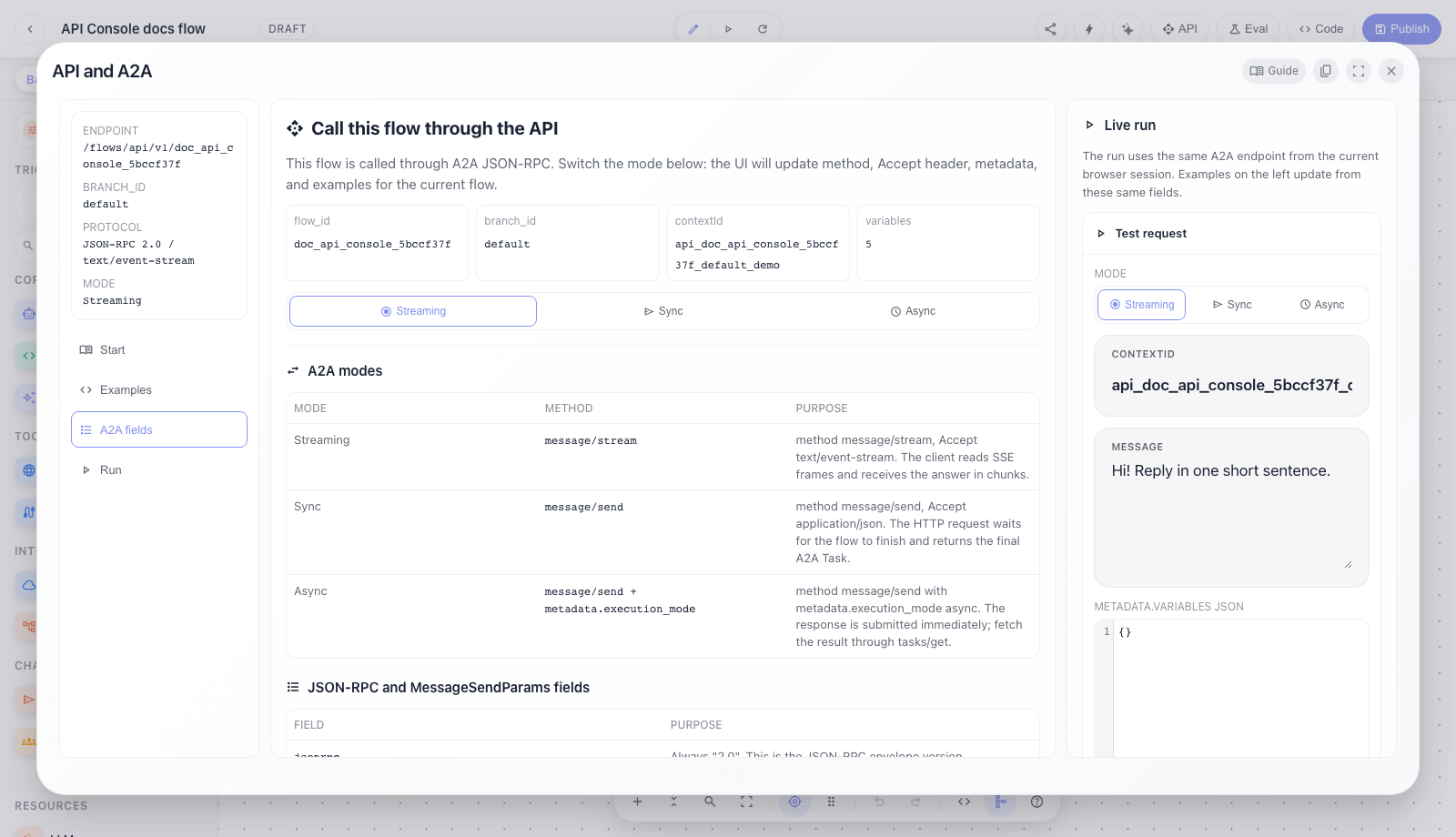
Step 2. Read the Start tab and A2A modes
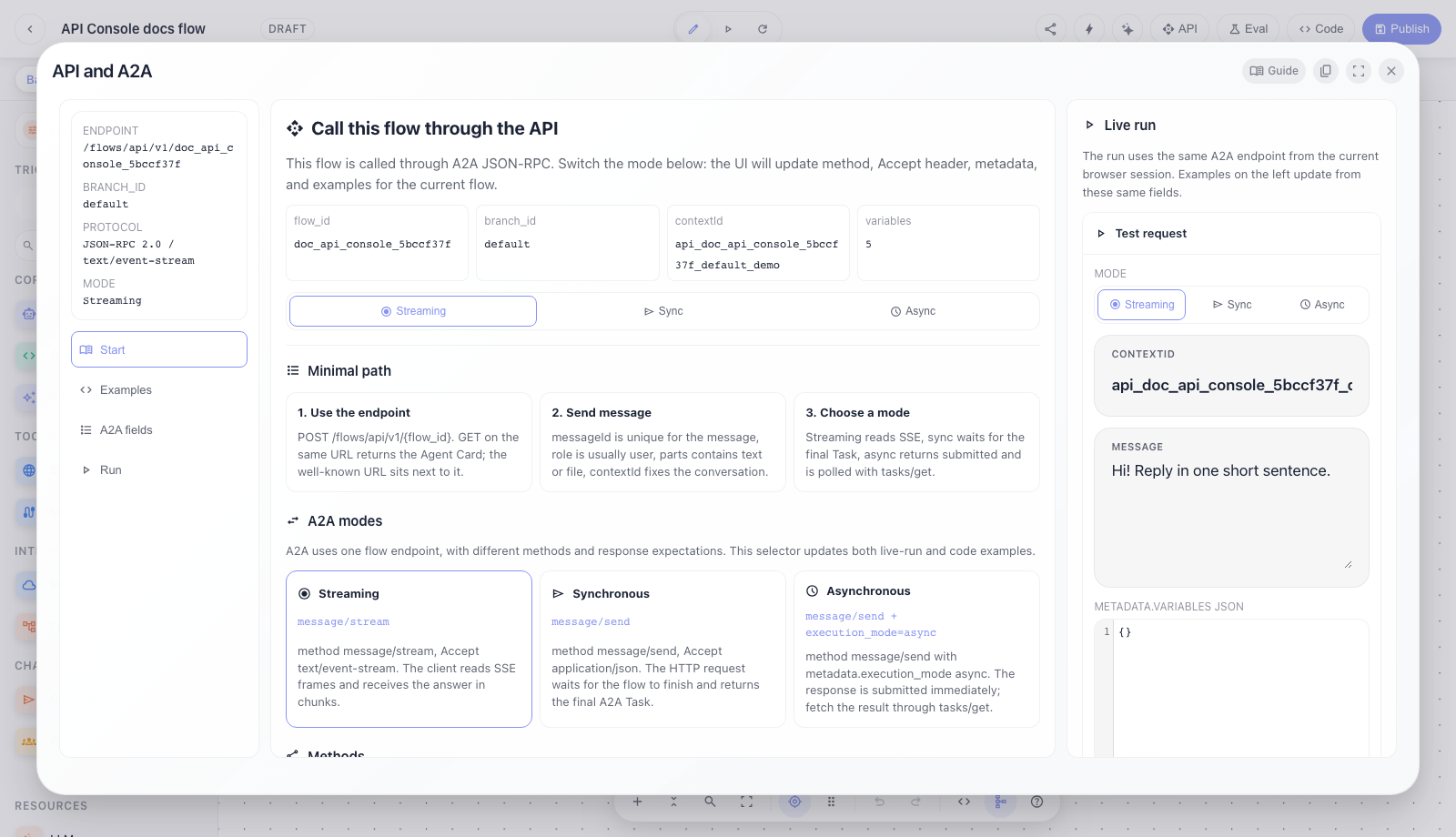
The Start tab answers "what should I send first".
Top metrics:
flow_idis the exact agent id from the URL and endpoint.branch_idis the execution branch. The base branch is exposed asdefault.contextIdis a sample conversation id. Reuse the samecontextIdto continue a conversation; generate a new one for a clean session.- the variables counter shows how many flow variables exist in the active branch.
The mode selector updates the whole example:
Streamingusesmethod: "message/stream"andAccept: text/event-stream.Syncusesmethod: "message/send"andAccept: application/json.Asyncusesmethod: "message/send"plusmetadata.execution_mode: "async".
The cards and method table explain A2A methods. Most integrations need message/stream,
message/send, and tasks/get; the other methods cover cancel, resubscribe, Agent Card, and
push notification config.
Step 3. Use ready curl, Python, and JS examples
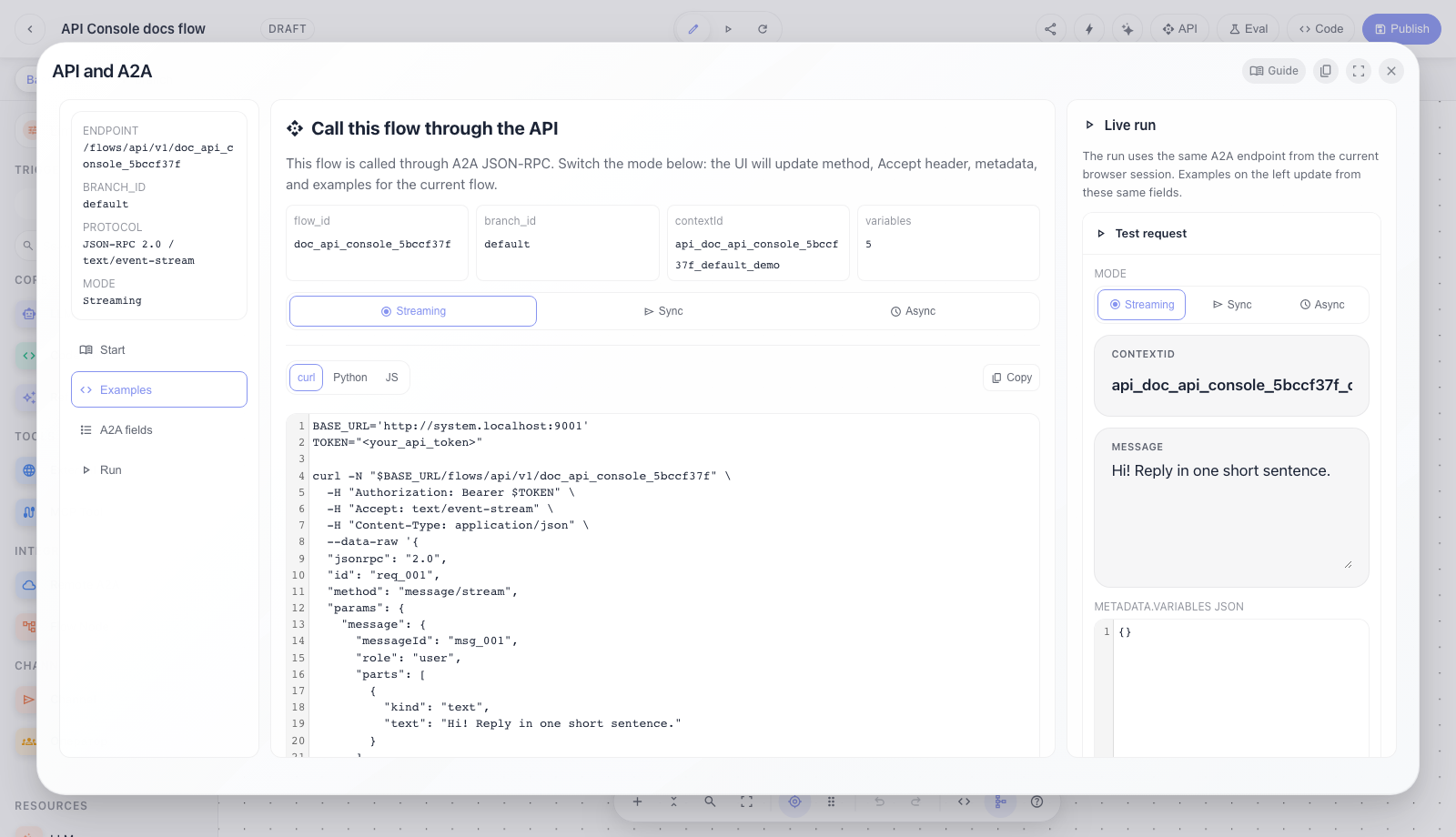
The Examples tab provides ready-to-use external client snippets.
It contains:
curl,Python, andJStabs; switching tabs changes code syntax, not the request meaning;- a
Copybutton that copies the current example; Current JSON body, which is the same payload used by live-run;Files, which shows an A2Afilepart. URI files includenameandmimeType; the backend normalizes them intostate.files. Audio files also go through STT when voice runtime is configured.
Minimal JSON-RPC body:
jsonrpc: "2.0"is fixed.idlets the client match response to request.methoddepends on the selected mode.params.message.messageIdis unique for this input message.params.message.roleis usuallyuser.params.message.partscontainstext,file, ordata.params.message.contextIdties messages into one conversation.params.metadata.branchselects the execution branch.params.metadata.variablessends runtime variables for this run only.
Step 4. Check every A2A field and variables rule
The A2A fields tab explains why each field exists.
Important details:
metadata.branchselects the graph branch. When the UI is on base, the API receivesdefault.metadata.variablessends data into the flow run and is not used to select the branch.metadata.versionselects a flow version, but query?v=...wins.metadata.execution_modeonmessage/send, withasyncorbackground, enables asynchronous run.metadata.breakpointsandmetadata.triggersare for editor/debug/trigger runtime; most public clients do not need them.
Variables:
metadata.variablesoverride flow variables only for this run.- Values can be primitives, objects, or arrays.
- Strings containing
@var:keyresolve through the company VariablesService; nested JSON and recursive references are supported, for example@var:api_endpointwhose stored value contains@var:base_url. - If you pass a flow-variable object (
value,secret,public,title,description), runtime usesvalue; the other fields are for UI/docs. secretmasks the value in UI, but does not change runtime behavior.publicexposes the variable in the Agent Card as a parameter external clients should fill.
System variables (user_id, company_id, active_namespace, and others) are appended by the backend
from the authorized HTTP context after client variables, so external clients cannot spoof user or
company identity through metadata.variables.
Step 5. Run Streaming and inspect the real API response
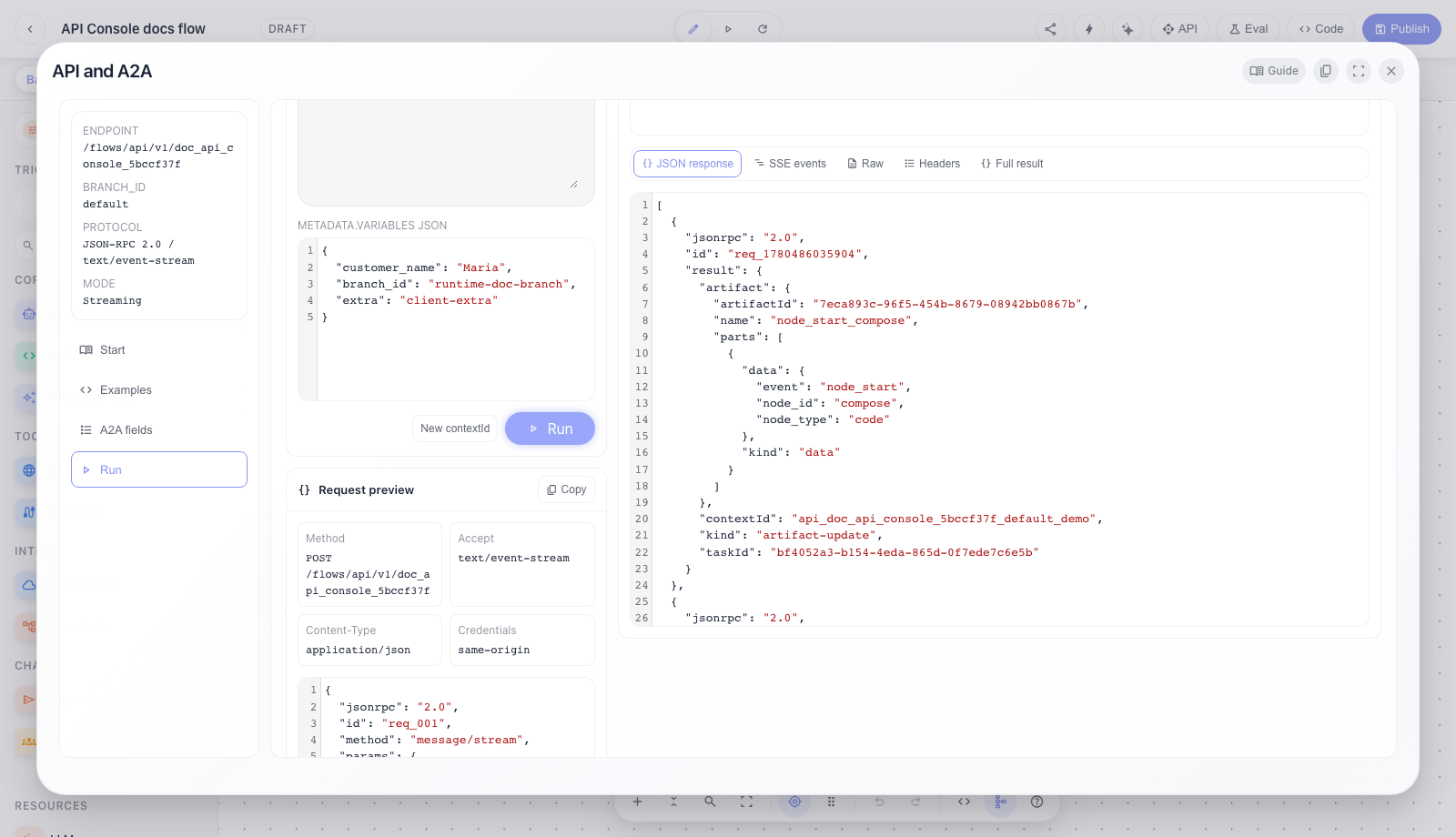
The Run tab is the real API testing workbench.
Left column:
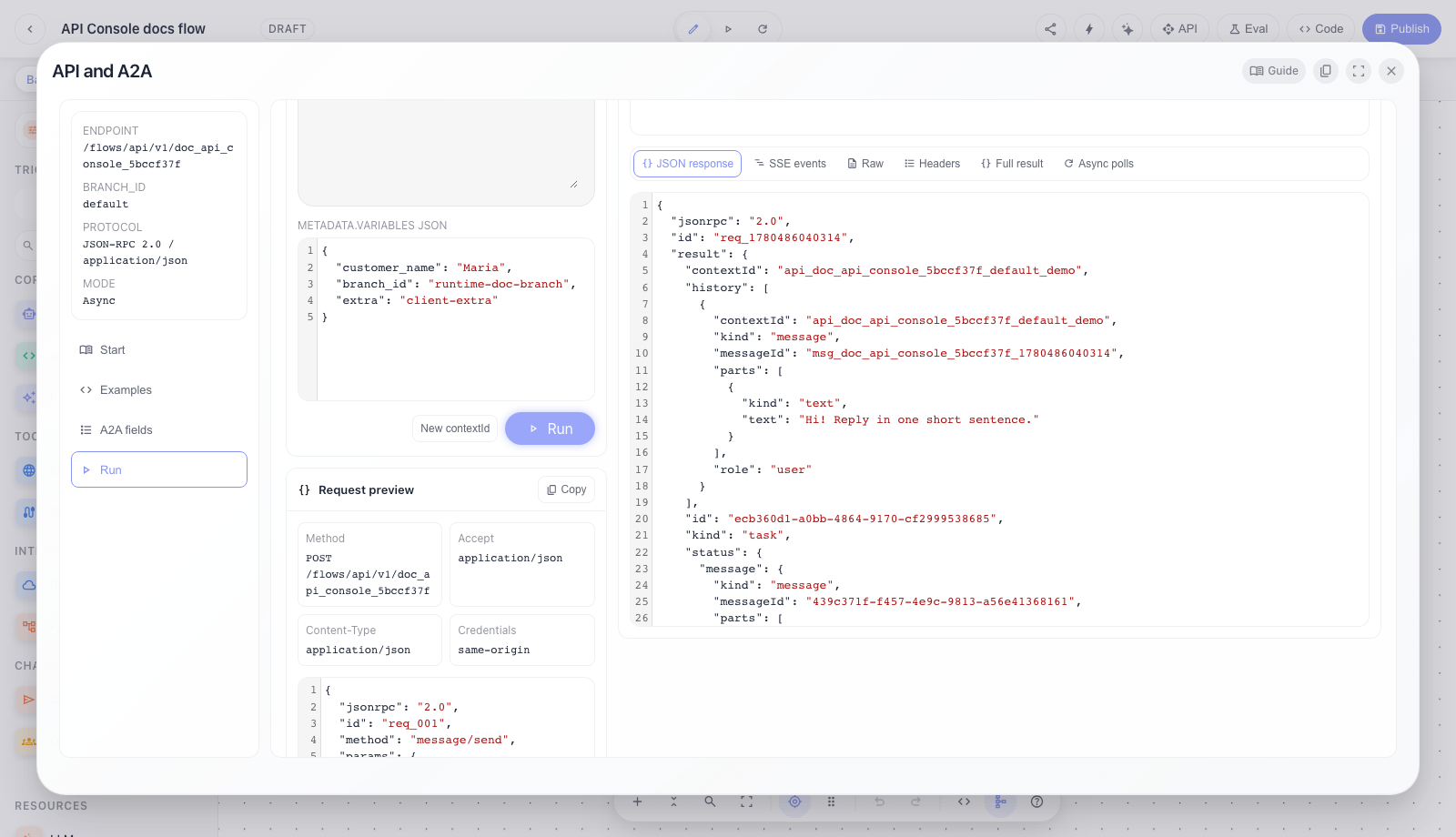
Modeselects Streaming/Sync/Async and immediately updates method, Accept header, and JSON body.contextIdsets the conversation. Keep it to continue, or clickNew contextIdfor a clean session.Messagebecomesparams.message.parts[0].text.metadata.variables JSONbecomesparams.metadata.variables.Runsends a real request to the current/flows/api/v1/{flow_id}using the browser session.Request previewshows HTTP method, Accept, Content-Type, credentials, and the full body.
For Streaming the UI sends message/stream, reads real SSE frames, and assembles the agent response
from those events. This is the default chat UX mode: the user sees generation progress, while the
developer can inspect every event.
Step 6. Open the response inspector: JSON, SSE, headers, raw, and full result
The response inspector shows more than the final text: it exposes the whole API response.
Status strip:
HTTP statusandContent-Typecome from the real HTTP response.task_idis created by the backend and is used bytasks/get,tasks/cancel, andtasks/resubscribe.context_idconfirms which conversation handled the request.A2A stateshows task states such assubmitted,working,input-required,completed, andfailed.SSE eventsshows the number of stream frames.
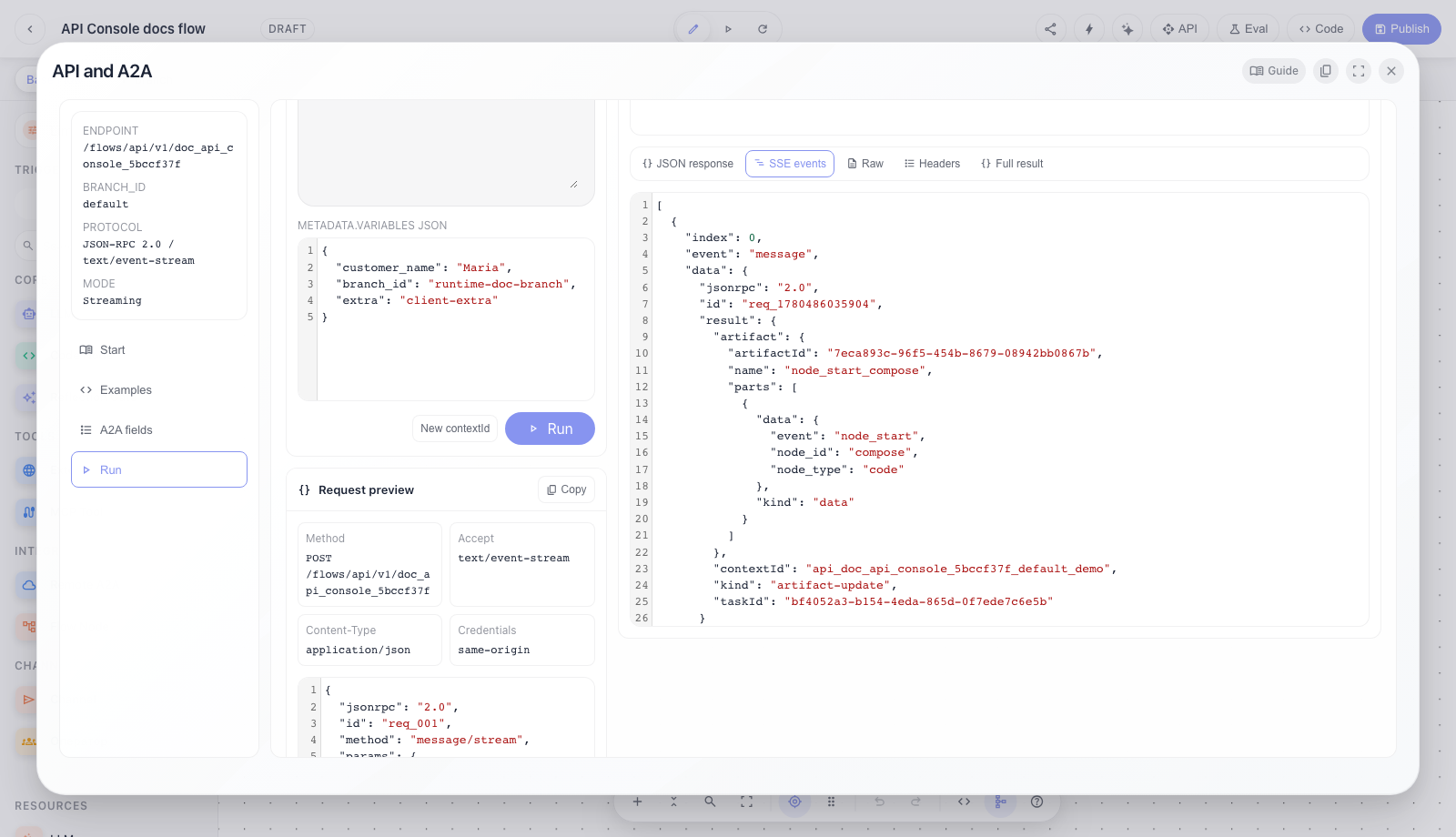
Inspector tabs:
JSON responseis the normalized JSON body for the current mode.SSE eventsis the array of real stream events: status updates, artifact updates, final states.Headersare HTTP response headers.Rawis the unnormalized response text.Async pollsshowstasks/getrequest/response pairs performed after async submit.Full resultis the complete frontend resource result: request envelope, response envelope, parsed body, raw text, frames, polls, extracted text, and errors.
Step 7. Test synchronous message/send mode
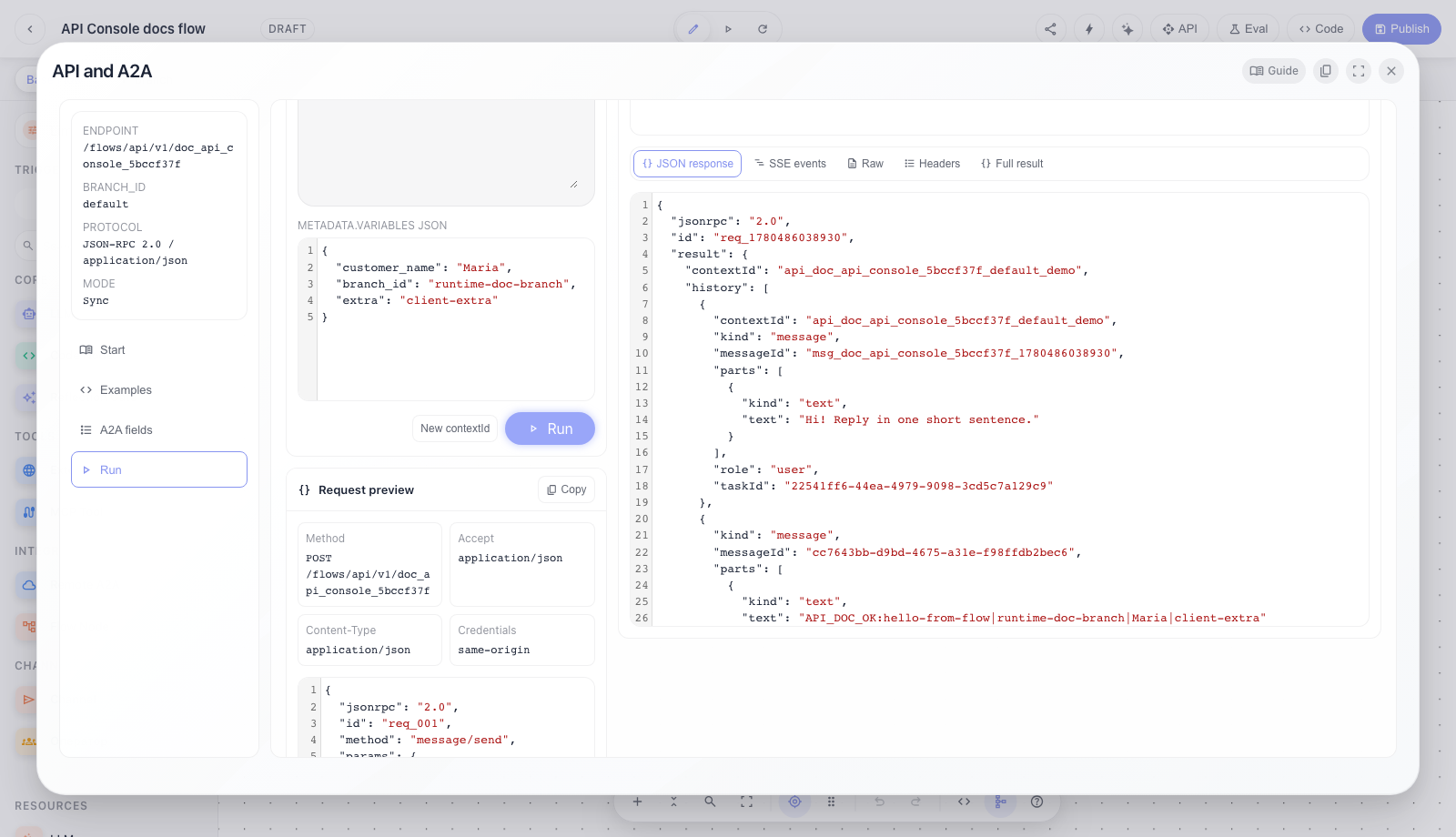
Sync is for clients that want one HTTP response without reading SSE.
The UI sends:
method: "message/send";Accept: application/json;- no
metadata.execution_mode: "async".
The HTTP request waits for the flow to finish and returns a JSON-RPC response with the final A2A Task. This is simpler for backend-to-backend calls, cron jobs, and short deterministic flows. If the flow can take a long time, use Streaming or Async instead of keeping the HTTP request open.
Step 8. Test async submit and subsequent tasks/get polls
Async is for long-running and background tasks.
The UI sends:
method: "message/send";Accept: application/json;metadata.execution_mode: "async".
The first response should return quickly with state submitted and task_id. Then fetch the result
through tasks/get using task_id or contextId. In this modal, Async polls shows which
tasks/get requests were made and what final Task was returned.
Typical scenarios:
- First request: create a new
contextId, fill the message, and clickRun. - Continue conversation: keep the same
contextIdand send the next message. - Branch: change branch in the editor; the API uses
metadata.branch. - Runtime variables: fill
metadata.variables JSON, for example{"customer_name":"Anna"}. - Secret variables: send
@var:secret_keywhen the value is stored in VariablesService. failederror: inspectJSON response,Raw, andFull result.input-required: the task waits for user input; send the next message with the samecontextId.