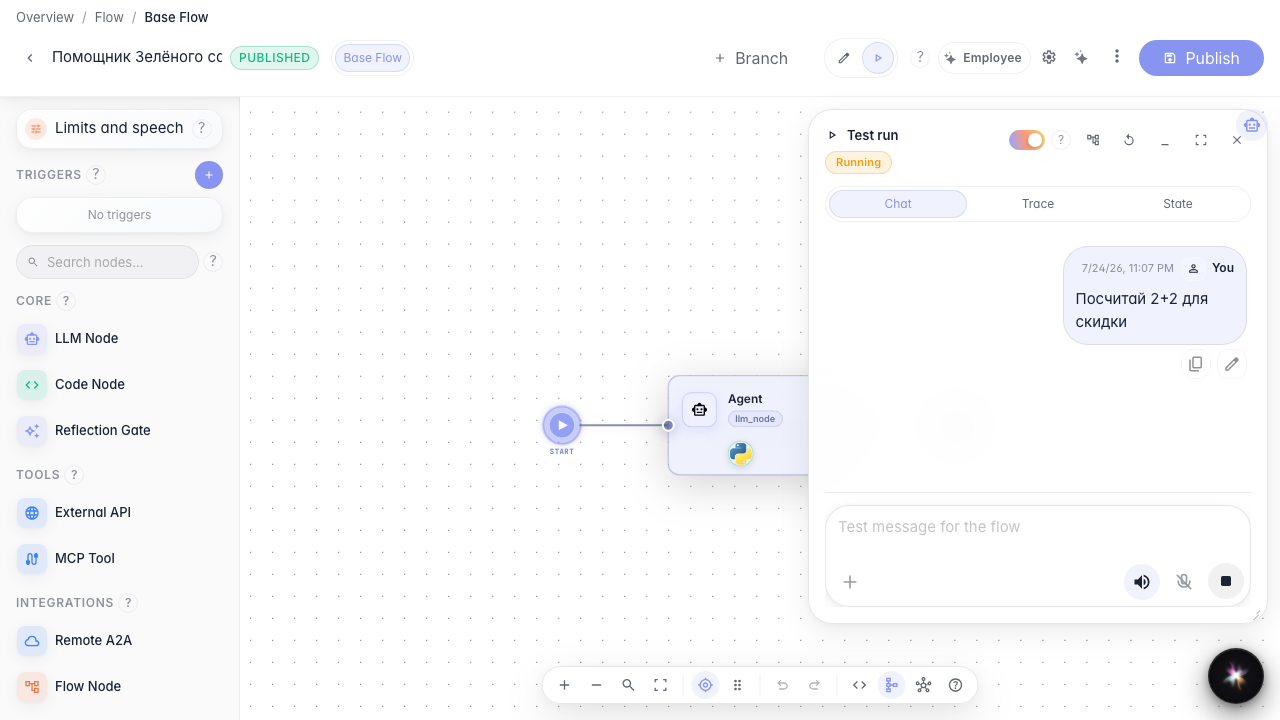
Give the agent tools
What for: this guide shows how to attach tools to an agent so it can take actions, not only reply in text.
Problems it solves: without tools the agent is limited to words and cannot call store services or internal operations.
Result: the Green Garden Assistant gets a calculator from the library, and a test run shows the tool call.
Step 1. Open the agent in the editor
Open the agent on the canvas and open settings. Here you set behavior and tools. Skills (procedures) are a separate section nearby; attaching them is covered in the Skills guide.

Step 2. Switch the node to tools mode
In Output mode choose Tools. In this mode the agent can call operations. Structured mode is not for tools or Skills.

Step 3. Add a tool from the library
Click From library and pick calculator. After selection it appears as a chip in the node tool list.
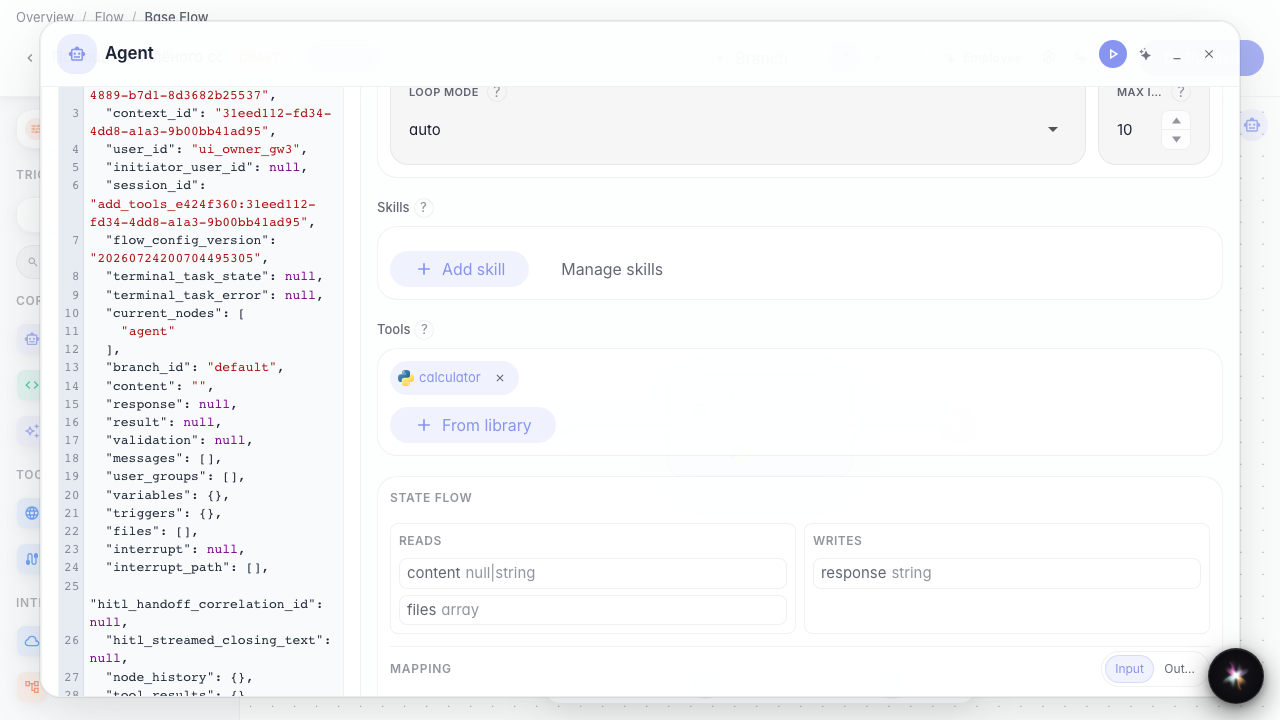
Step 4. Run the agent and see the tool call
Result demonstration. Switch to Run mode, ask a calculation question — the agent calls calculator and the reply shows the result.
Summary. You can enable tools mode, add a library tool, and verify the call in a test run.