Track operator work on a board
What for: this guide helps you keep the request flow under control on a kanban board, not only as an inbox list.
Problems it solves: the inbox list does not show the overall status of all agent and operator tasks.
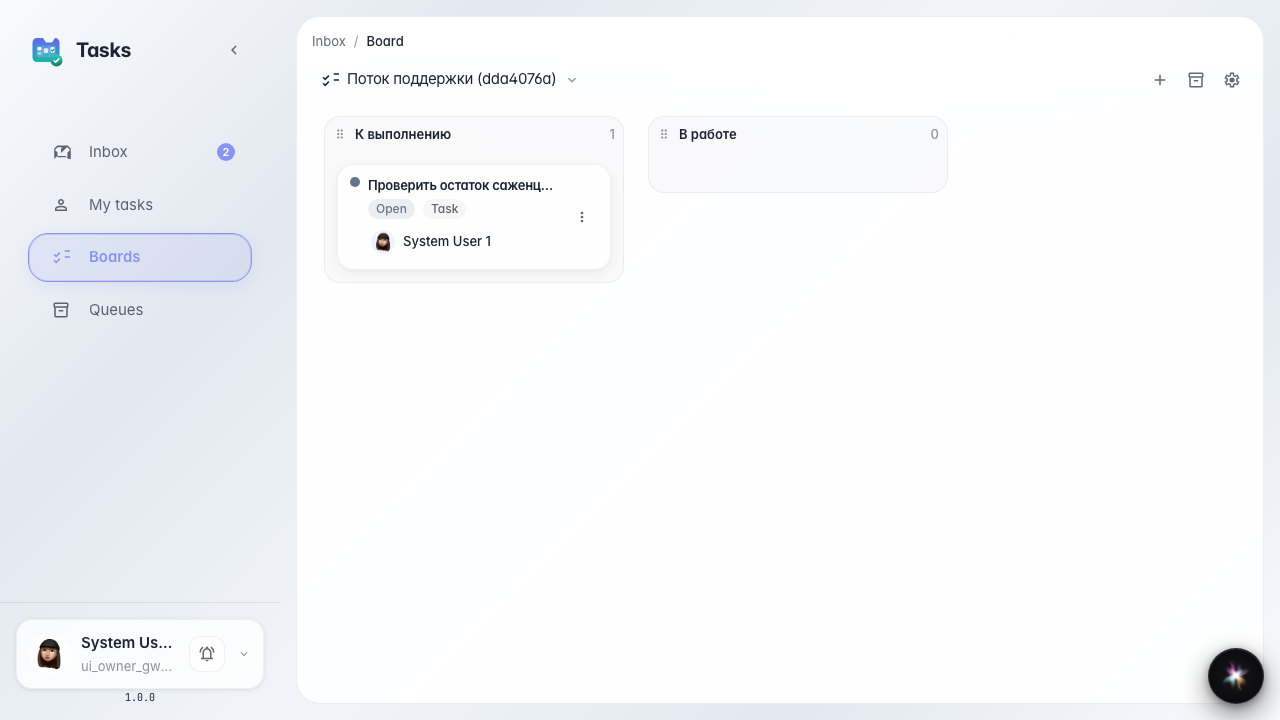
Result: the board shows tasks in To do and In progress columns.
Step 1. Open the tasks kanban board
In tasks, open the board. Columns show work stages: what is waiting and what operators such as Marina are already working on.
Step 2. Find the agent task on the board
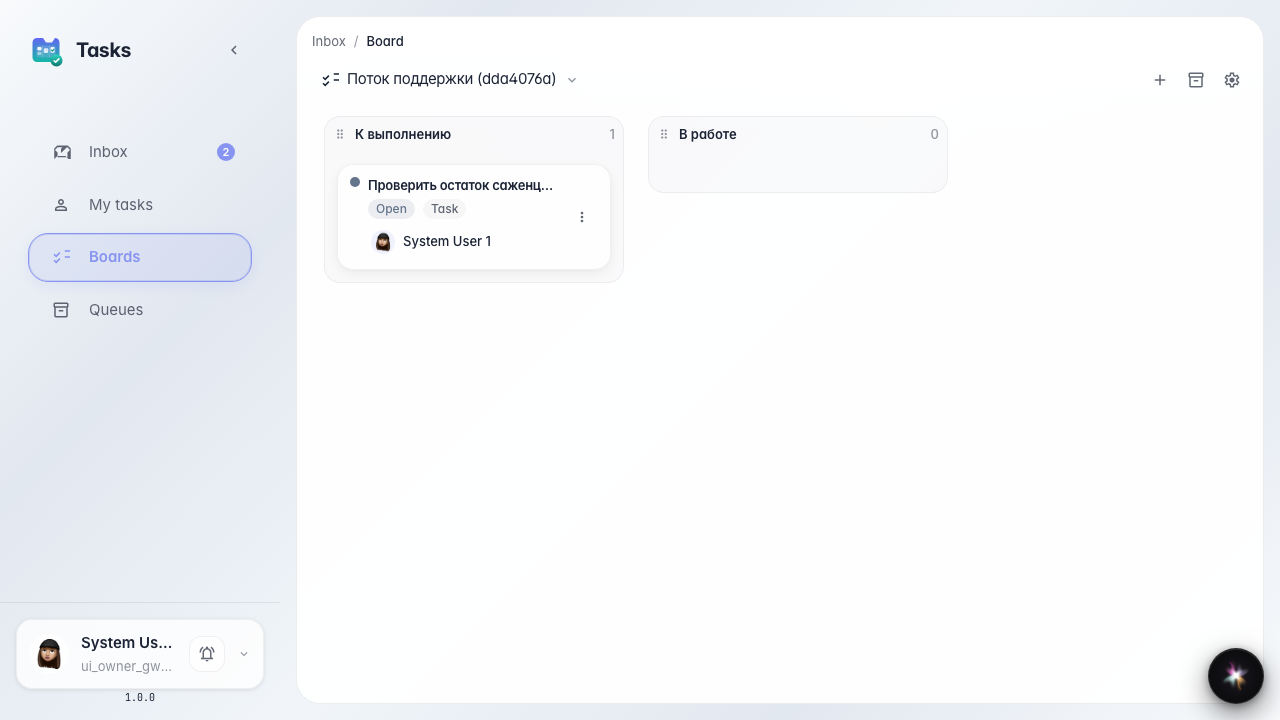
Result demonstration. The Green Garden Assistant task card sits in the To do column. The board shows the whole flow, not only the latest inbox item.
Summary. You can now view agent and operator tasks on the kanban board and control support flow status.